

Student Technical Support

Use our Easy Search!
Use the Search box above to find answers to most of your questions on email, OneDrive, Citrix and more!
Or click on a topic categories below!
Contact Us
Phone: 920-735-5644 |
Email: helpdesk@fvtc.edu |
|---|
Hours of support:
Your FVTC ID and Password
Username
- User your nine-digit account ID + @fvtc.edu (example: 123456789@fvtc.edu).
If your browser autofills your email, choose Use another account and enter your username manually.
- Using the wrong sign-in (like an email) may trigger error
AADSTS50020: User account example@example.com from identity provider example.com does not exist in tenant' Fox Valley Technical College'
Find your nine-digit account ID number
Reset your password
This username may be incorrect (Recover your account)
If you see "This username may be incorrect...", confirm you're using the correct format: 123456789@fvtc.edu.
If that's right, your account may be inactive.
Verify your identity (MFA)
If you can't complete MFA after entering your password, call the IT helpdesk at 920-735-5644.
We can update your contact info or issue a Temporary Access Pass.
Contact IT Helpdesk
Phone: 920-735-5644 |
Email: helpdesk@fvtc.edu |
|---|
Hours of support:
FVTC Wi-Fi Networks
FVTC-Public
This network is provided for public access, including guests, students, and personal devices. It requires no password.
Upon joining FVTC-Public, your device will automatically launch an FVTC Guest Portal website, presenting you with the Acceptable Use Policy.

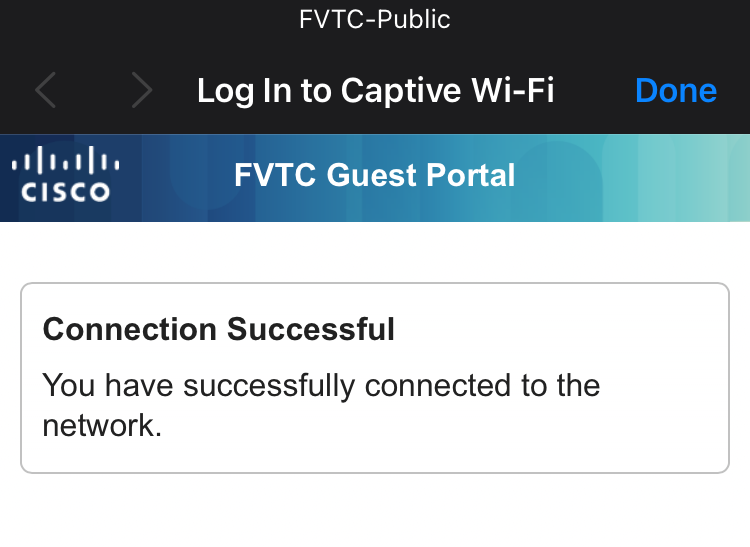
Please read and click Accept to agree to the Acceptable Use Policy. Then, you will receive a message indicating that you have successfully connected to the network.
FVTC-Secure
This network is for FVTC-managed devices such as lab computers and FVTC laptops. These devices will automatically join this network.
Go Deeper
Your FVTC Email
- All students enrolled in a program receive email access.
Find out if you are eligible for an email at Student Support | Microsoft 365 and Email Policies & Procedures - Still need some help navigating getting to your email?
Student Support | FVTC Email Tips & Help
Your FVTC OneDrive (Online File Storage)
- All students receive 1 TB of storage space in your FVTC OneDrive account.
That's a lot of space to store your assignments and other files you need. Learn more about the student benefits of using OneDrive: Student Support | Office 365 Online & OneDrive Information - More information: OneDrive at FVTC
What Computer Should I buy?
To support the FVTC mission of providing high-quality education and training, FVTC provides access to onsite computers in our campus facilities and regional centers. While not required, having home access to technology may prove valuable for students to better facilitate learning. We therefore recommend having a home computer that meets or exceeds the specifications consistent with those resources that FVTC offers onsite, as follows:
Recommended Specifications
- Operating System: Windows 11
- Processor: Quad-core Intel i5 or AMD Ryzen 5 CPU
- Memory: 16GB RAM minimum
- Storage: 512GB SSD (Solid State Drive)
- Display: 1920x1080 resolution
- Webcam: 1280x720 resolution
- Audio: Headset with microphone/headphones or integrated microphone and speakers
- Internet: High-speed broadband (10 Mbps Download / 5 Mbps Upload)

Engineering Recommended Specifications
These recommendations are based on program-specific software applications. Consult your instructor to verify needs first.
- Operating System: Windows 11 64-bit
- Processor: High-performance 8-core (or better) CPU, strong single-core clock
- Memory: 32 GB RAM
- Graphics: At least 8 GB VRAM (ideally 12 GB or 16 GB). E.g., NVIDIA RTX A-series or Quadro, AMD Radeon Pro, or compatible.
- Storage: 1 TB NVMe or SSD
Citrix
Minimum Requirements for Citrix:
- Windows PC: Windows 11 or later, 2GB RAM, 572MB free disk space
- Apple Mac: macOS Sonoma (14.8.8) or later, 257.7MB free disk space
- Chromebook: Latest Google Chrome OS version
Action Steps:
- Check Program Requirements: Contact your instructor or department for specific technology needs.
- Test Compatibility: Use TechReady.io to test your computer.
- Remote Access: Utilize FVTC's Citrix environment if you lack a compatible home computer.
FREE Office Download for Program Students
- All program students are eligible to download and use the full versions of Microsoft's most popular programs, like Word, Excel and PowerPoint.
- Download and use them now: Microsoft Office 365 Software Download